
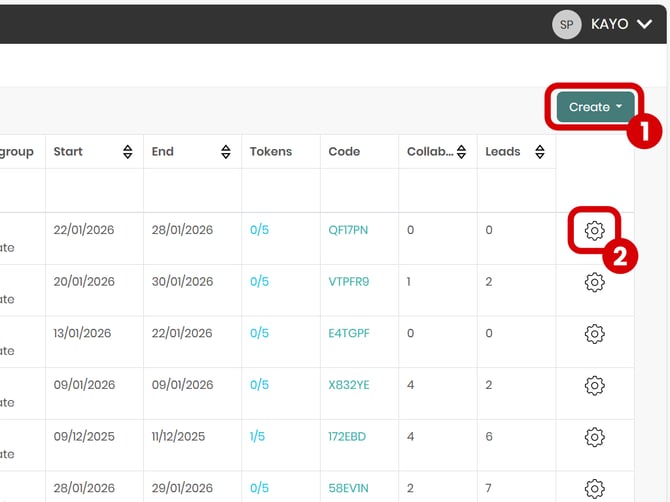
You can either create a new project from scratch by clicking "Create" then "New Event" (1), or create a copy of an existing project and edit it (2).
Start filling in the "Pick your event" field and select the corresponding event from the list.
If you cannot find your event, you can click on "+ ADD AN EVENT". (3)
You must complete all the fields marked with an asterisk in order.
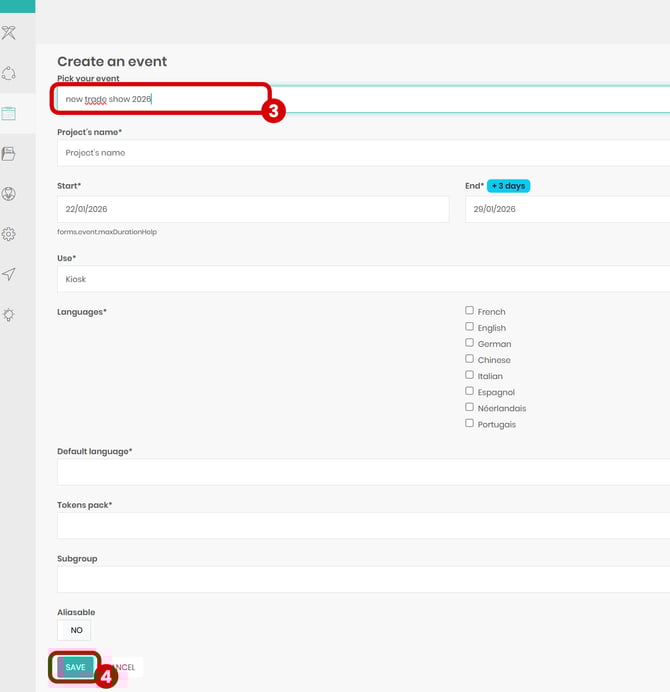
Click the "Save" button to finalize the creation of the project (4).