
How does my vCard work?
- The team member opens the "My Card" category.
- They present the QR code to the visitor.
- The visitor scans the QR code using their smartphone.
- The visitor is redirected to a page displaying the contact details as a downloadable digital business card.
- The information displayed on the eBusiness Card comes directly from the team member's profile.
⚠️ Make sure the information in the team member profile is accurate and up to date.
How to configure my vCard
Go to Project → KAYO App → Structure & content, create a new category, and enter the button title (for example, "My Card").
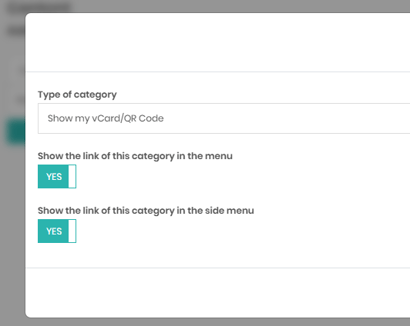
Once the category has been created, click Settings and select "Show my vCard/QR Code".
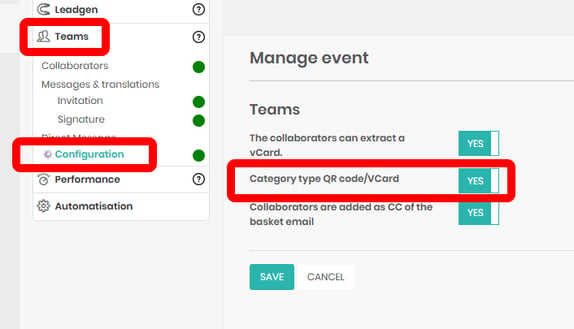
If this option is not available in the settings, make sure it has been enabled for your project under Teams → Configuration.
Note: The vCard feature is only available when using a team member-specific code, not a generic project code.
⚠️ The vCard feature is only available when using a team member-specific code, not a generic project code.
Related Resources