
At KAYO, there are two types of tokens:
-
“Event” tokens, which are valid for one device for the duration of a single event.
-
“Flex” licenses, which allow as many simultaneous connections to the KAYO App as the number of Flex licenses you have.
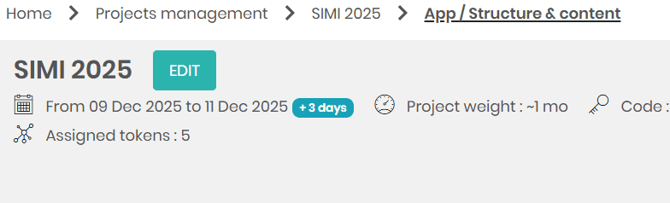
How do I assign event tokens to my project?
To do this, click on “Assigned tokens”, select the number of tokens you want to add to the project, and confirm.
------------------------------------------------------
How do I manage FLEX licenses?
If you have subscribed to a FLEX license offer, you can assign and unassign them to different members of your team.
In the side menu, under the “TEAM MANAGEMENT” section, you will find the list of all your collaborators.
To assign a FLEX license
Right-click on the relevant collaborator, select “Manage license”, and choose the Flex package.
If the package does not appear, it means that all licenses are currently assigned to other collaborators. You will need to unassign a license from another collaborator first.
To unassign a FLEX license
Right-click on the collaborator who currently holds the FLEX license you want to remove.
Select “Manage license”, then click on “Unassign”.
