
Navigation
My Project → Leadgen → Configuration → Automatic Basket
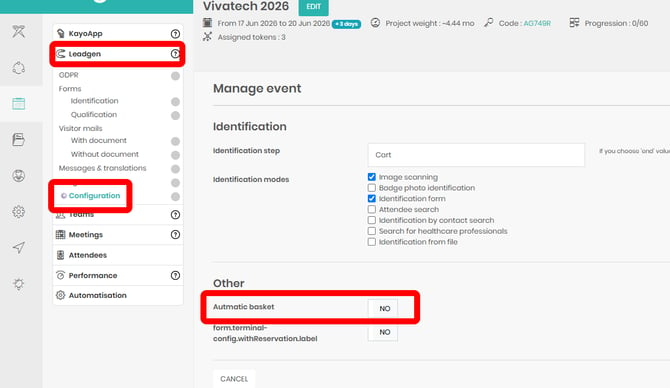
Before enabling the Automatic Document Basket, you must first upload the documents you want to send to a document category within your project.
Once the documents have been uploaded:
- Enable the Automatic Document Basket.
- Click Choose Documents.
- Select the documents you want to include from those already uploaded to the project.
The selected documents will then be automatically sent to every lead captured during the event.